

Contents
- 1 Laptop Buying Guide: Know Your Needs
- 2 Important Features and Accessories:
- 3 Here are our top laptop picks tailored to different usage scenarios:
- 4 Acer Nitro 17 Gaming Laptop AMD Ryzen 7 7840HS Octa-Core CPU 17.3″ FHD 165Hz IPS Display NVIDIA GeForce RTX 4050 16GB DDR5 1TB SSD Wi-Fi 6E RGB Backlit KB AN17-41-R6L9
- 5 HP 2022 Victus 15.6″ FHD 144Hz Gaming Laptop, Intel 12th Core i5-12450H, 32GB RAM, 1TB PCIe SSD, NVIDIA GeForce GTX 1650 Graphics, Backlit Keyboard, Win 11 Pro, Mica Silver, 32GB Snowbell USB Card
- 6 HP 17 Business Laptop, 17.3” HD+ Display, 11th Gen Intel Core i3-1125G4 Processor, 32GB RAM, 1TB SSD, Wi-Fi, HDMI, Webcam, Windows 11 Pro, Silver
- 7 Suggested Accessories: Enhance Your Setup with These Essentials
- 8 havit HV-F2056 15.6″-17″ Laptop Cooler Cooling Pad – Slim Portable USB Powered (3 Fans), Black/Blue
Laptop Buying Guide: Know Your Needs
When it comes to purchasing a laptop, understanding your specific requirements is key. Here’s a breakdown of hardware and software configurations tailored to different use cases:
1. Gaming:
– Architecture: 64-Bit
– CPU: Core i5 2.8GHz or higher
– GPU: Dedicated graphics card with at least 4GB VRAM (e.g., NVIDIA GeForce GTX 1660 Ti or AMD Radeon RX 5600M)
– RAM: 8GB or more
– Storage: 512GB SSD or larger
– Display: 15.6″ Full HD (1920 x 1080) with high refresh rate
– OS: Latest 64-bit version
– Applications: Gaming suite
2. Software Development:
– Architecture: 64-Bit
– CPU: Core i7 or Ryzen 7
– GPU: Integrated graphics or mid-range discrete GPU
– RAM: 16GB or more
– Storage: 1TB SSD
– Display: 15.6″ Full HD (1920 x 1080) with IPS panel
– OS: Latest 64-bit version
– Applications: IDEs, compilers, Docker
3. Image Processing:
– Architecture: 64-Bit
– CPU: Core i7 or Ryzen 7
– GPU: Dedicated graphics card with 6GB VRAM or more
– RAM: 16GB or more
– Storage: 1TB SSD or larger
– Display: 15.6″ 4K UHD (3840 x 2160) with color accuracy
– OS: Latest 64-bit version
– Applications: Adobe Photoshop, Lightroom
4. Video Editing:
– Architecture: 64-Bit
– CPU: Core i7 or Ryzen 7
– GPU: Dedicated graphics card with 8GB VRAM or more
– RAM: 32GB or more
– Storage: 1TB SSD or larger
– Display: 15.6″ 4K UHD (3840 x 2160) with wide color gamut
– OS: Latest 64-bit version
– Applications: Adobe Premiere Pro, DaVinci Resolve
5. Graphic Designing:
– Architecture: 64-Bit
– CPU: Core i7 or Ryzen 7
– GPU: Dedicated graphics card with 6GB VRAM or more
– RAM: 16GB or more
– Storage: 1TB SSD or larger
– Display: 15.6″ 4K UHD (3840 x 2160) with Adobe RGB coverage
– OS: Latest 64-bit version
– Applications: Adobe Illustrator, CorelDRAW
6. Music Composing:
– Architecture: 64-Bit
– CPU: Core i5 or Ryzen 5
– GPU: Integrated graphics
– RAM: 8GB or more
– Storage: 512GB SSD or larger
– Display: 15.6″ Full HD (1920 x 1080)
– OS: Latest 64-bit version
– Applications: FL Studio, Ableton Live
7. Entertainment:
– Architecture: 64-Bit
– CPU: Core i5 or Ryzen 5
– GPU: Integrated graphics
– RAM: 8GB or more
– Storage: 512GB SSD or larger
– Display: 15.6″ Full HD (1920 x 1080)
– OS: Latest 64-bit version
– Applications: Media players, streaming services
8. Business:
– Architecture: 64-Bit
– CPU: Core i5 or Ryzen 5
– GPU: Integrated graphics
– RAM: 8GB or more
– Storage: 512GB SSD or larger
– Display: 14″ to 15.6″ Full HD (1920 x 1080)
– OS: Latest 64-bit version
– Applications: Microsoft Office, accounting software
9. Network Clients:
– Architecture: 64-Bit
– CPU: Core i5 or Ryzen 5
– GPU: Integrated graphics
– RAM: 8GB or more
– Storage: 512GB SSD or larger
– Display: 14″ to 15.6″ Full HD (1920 x 1080)
– OS: Latest 64-bit version
– Applications: Remote desktop, networking tools
10. Education:
– Architecture: 64-Bit
– CPU: Core i3 or Ryzen 3
– GPU: Integrated graphics
– RAM: 8GB or more
– Storage: 256GB SSD or larger
– Display: 14″ to 15.6″ Full HD (1920 x 1080)
– OS: Latest 64-bit version
– Applications: Educational software, web browsers
Important Features and Accessories:
- Backlit Keyboard: Enhances visibility in low-light conditions.
- Cooling System: Opt for laptops with efficient cooling solutions to prevent overheating.
- Laptop Cooler: Consider purchasing an additional cooling pad for prolonged usage.
- Portability: Choose a lightweight and compact design for easy transportation.
By aligning your laptop specifications with your intended usage, you can ensure a seamless computing experience tailored to your needs.
Here are our top laptop picks tailored to different usage scenarios:
Gaming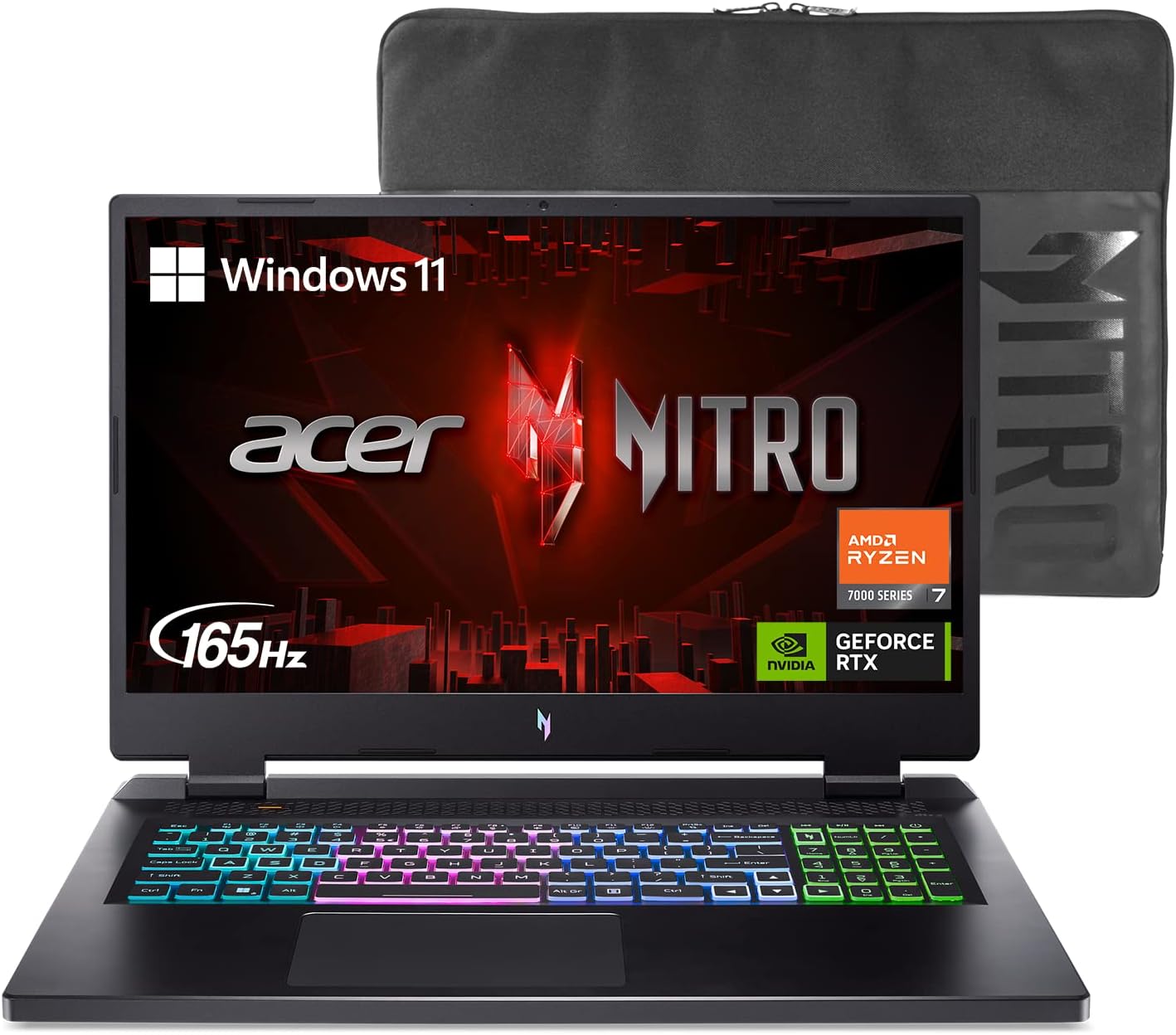 Acer Nitro 17 Gaming Laptop AMD Ryzen 7 7840HS Octa-Core CPU 17.3″ FHD 165Hz IPS Display NVIDIA GeForce RTX 4050 16GB DDR5 1TB SSD Wi-Fi 6E RGB Backlit KB AN17-41-R6L9
$1,071.65 |
Software Development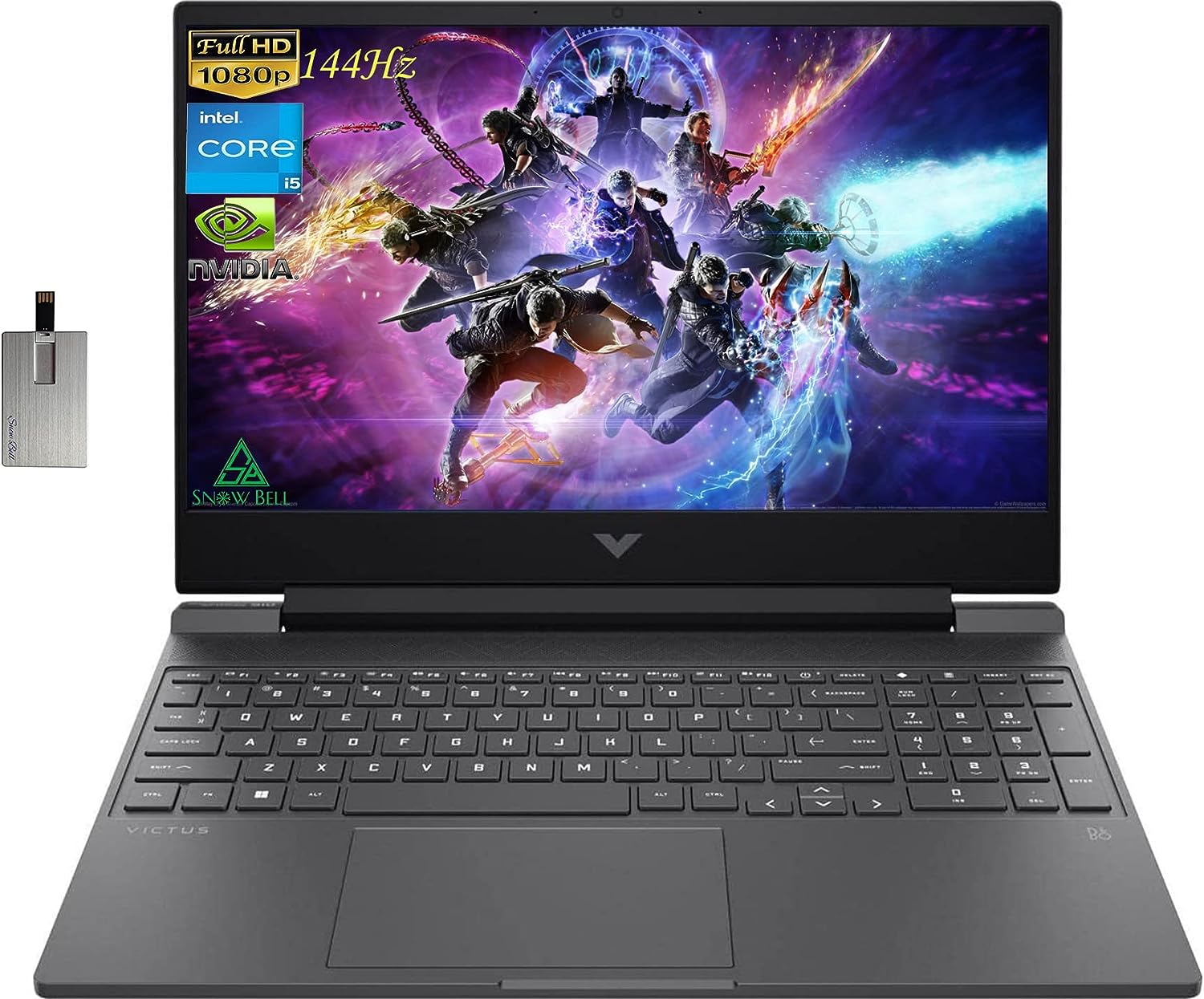 HP 2022 Victus 15.6″ FHD 144Hz Gaming Laptop, Intel 12th Core i5-12450H, 32GB RAM, 1TB PCIe SSD, NVIDIA GeForce GTX 1650 Graphics, Backlit Keyboard, Win 11 Pro, Mica Silver, 32GB Snowbell USB Card
$859.00 |
Entertainment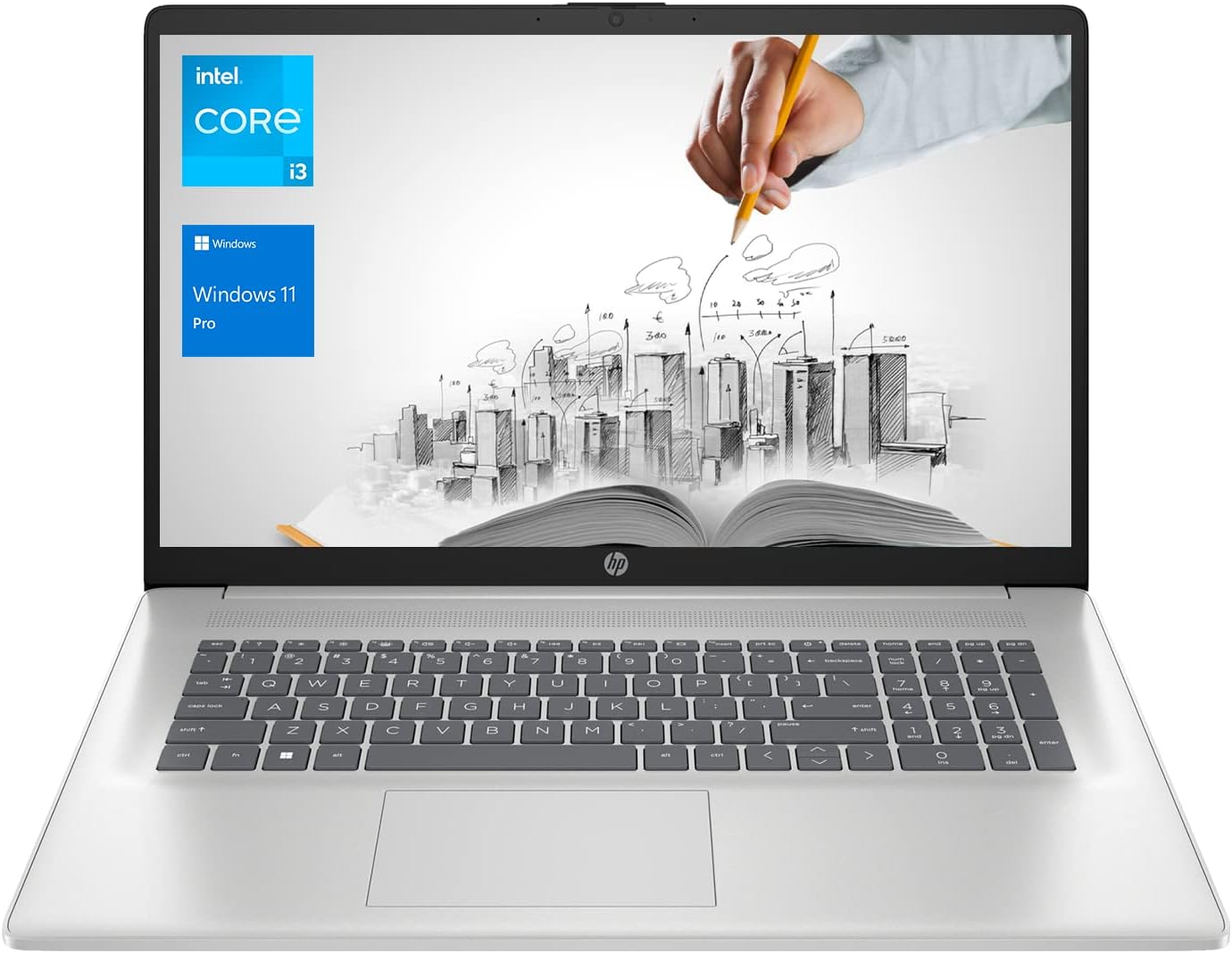 HP 17 Business Laptop, 17.3” HD+ Display, 11th Gen Intel Core i3-1125G4 Processor, 32GB RAM, 1TB SSD, Wi-Fi, HDMI, Webcam, Windows 11 Pro, Silver
$599.00 | |
|---|---|---|---|
| Architecture | 64bit | 64bit | 64bit |
| CPU | AMD Ryzen 7 | Core i5 | Core i3 Family |
| GPU | NVIDIA GeForce RTX 4050 | NVIDIA GeForce GTX 1650 | Intel UHD Graphics |
| RAM | 16 GB | 32GB | 32 GB |
| Storage | 1TB SSD | 1TB PCIe SSD | 1TB SSD |
| Display | 17.3″ FHD 165Hz IPS | 15.6″ FHD 144Hz | 17.3” HD+ |
| OS | Windows 11 Home | Windows 11 Pro | Windows 11 Pro |
Suggested Accessories: Enhance Your Setup with These Essentials
Completing your laptop setup with the right accessories can significantly enhance your computing experience, whether you’re a student, a professional, or a gaming enthusiast. From productivity tools to gaming peripherals and essential add-ons, there’s a wide range of accessories designed to complement your laptop and elevate its functionality. Whether you’re looking to boost productivity, improve comfort, or enhance entertainment, investing in the right accessories can make a world of difference. Below, we’ve curated a selection of must-have accessories to consider for your laptop setup.
Cooling System:
Cooling System: Keeping your laptop’s temperature in check is crucial for optimal performance and longevity. A cooling pad is an excellent accessory to prevent overheating during intense gaming sessions or extended work periods. We recommend the [Brand Name] Cooling Pad, designed with powerful fans to provide efficient airflow and dissipate heat effectively. Its ergonomic design ensures comfortable use, and adjustable settings allow you to customize the fan speed according to your needs. Say goodbye to overheating issues and enjoy uninterrupted usage with this essential accessory for your laptop.
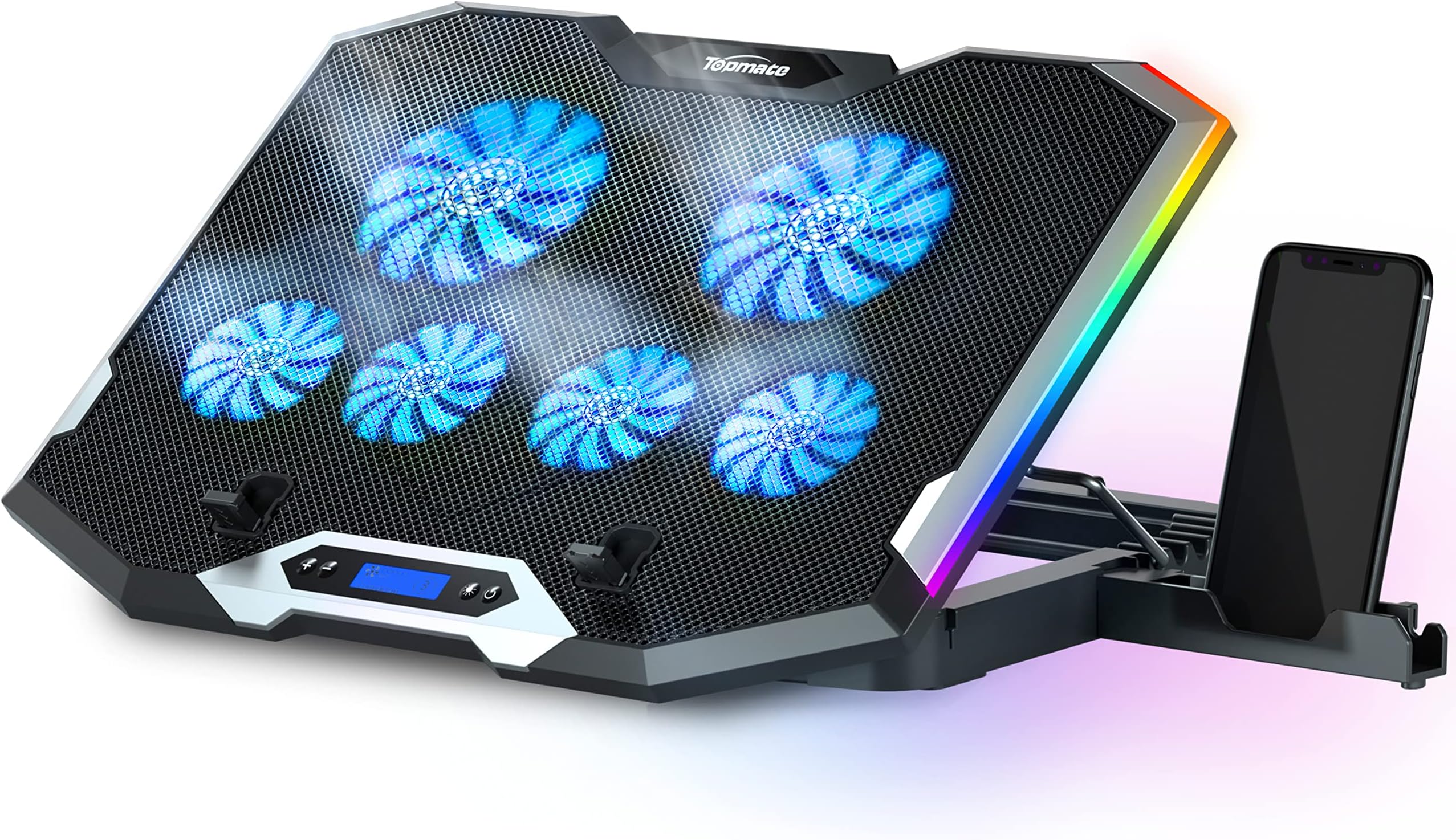
This ultra-portable cooling pad doubles as an ergonomic stand, featuring a high-quality metal mesh for optimized laptop carrying and three ultra-quiet fans for noise-free operation. It also includes extra USB ports with a built-in dual-USB hub (Note: Type C connection devices require a Type C to USB adapter).